SparkFun KiCad Libraries Now Available Through the Plugin & Content Manager (PCM)

Using the SparkFun libraries in KiCad just got easier! Our KiCad Library can now be installed directly through the Plugin and Content Manager
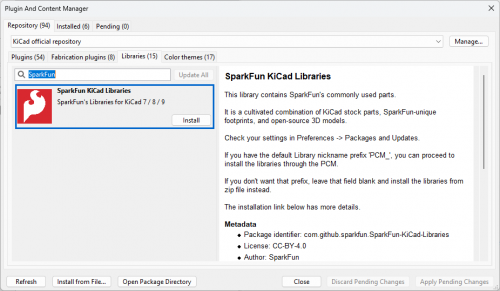
The SparkFun KiCad library has grown significantly over the years; recently, we made a series of updates so that the library could be installed via the KiCad Plugin and Content Manager (PCM). This means you can install (and update) the SparkFun libraries with a couple of clicks — no downloading ZIPs, no dragging folders into hidden directories, and no manual environment variable edits.
Making our libraries available through the PCM has been a major step toward simplifying how engineers use SparkFun hardware. With cleaner structures, updated footprints, more accurate 3D models, and a simple one-click install, you can now get up and running more efficiently.
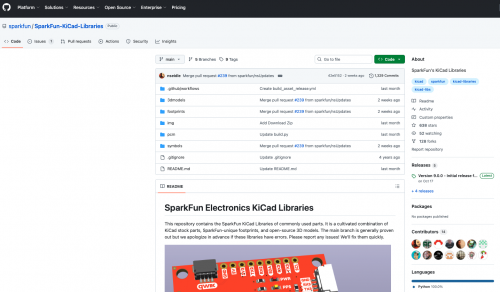
You can explore the library and installation instructions here: SparkFun KiCad Libraries
Why This Matters
Offering our library through PCM keeps everything:
- Up-to-date: You’ll always get the latest revisions as soon as they’re released.
- Consistent: We’ve gone through a major cleanup pass—pin names, metadata, 3D packaging, and standards are now aligned across the library.
- Easy to install: One click in KiCad, and you're ready to design with SparkFun parts.
- Easy to remove or update: Managed directly from KiCad’s built-in content manager.
Sidenote: KiCad Can Import Eagle Designs
If you're migrating older SparkFun-based designs or legacy projects, KiCad includes a built-in importer for Eagle .sch and .brd files.
You can find it under: File → Import → Non-KiCad Schematic/Board
The importer reads most Eagle 6+ projects and converts symbols, traces, nets, polygons, and layers into native KiCad formats. For SparkFun users especially — given the large history of Eagle-based designs — this is a convenient way to bring old boards forward and start using the new SparkFun KiCad libraries.