Why Your USB Serial Data Looks Like Garbage (And How to Fix It)
When you’re wiring together fast embedded systems (like an ESP32 feeding data into a Teensy 4.1) it’s easy to assume USB will “just work.” After all, USB is fast. Way faster than UART, right?
That assumption is exactly what led to a subtle (and very common) bug: perfectly timed data turning into unreadable garbage.

Paul's Deep Dives
Hello SparkFans! Paul here from PJRC. I spend a lot of time on the PJRC forum helping people solve all kinds of tricky problems. Some of those threads turn into deeper dives on how things really work.
In Paul’s Deep Dives, we'll revisit some of my favorite forum discussions. Along the way, we fill in the gaps, add context, and connect the dots so you not only see what worked — but understand why it worked. Enjoy!
Let’s walk through what happened, why it happens, and the one-line fix that makes everything click. But first, here's a tl;dr for those of you who just want to see the answer without a lengthy explanation.
TL;DR
If your USB serial data looks like garbage when connecting devices together, the problem is often not USB speed — it's a baud rate mismatch between a USB-to-serial bridge chip and the microcontroller.
In the example, an ESP32 was sending data at 460800 baud through a CP2102 USB-to-serial adapter, while a Teensy 4.1 acting as the USB host never told the CP2102 what baud rate to use. The CP2102 defaulted to 115200 baud, causing corrupted data.
The fix was a single line:
userial.begin(460800);
The Setup
The goal was pretty straightforward:
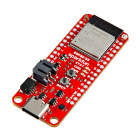
- An ESP32 streams data (eventually from an RPLidar C1)
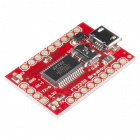
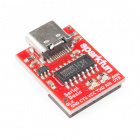
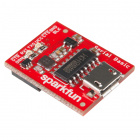
- Output goes over USB via a CP2102 USB-to-serial bridge
- A
The ESP32 test code was a simple counter printed once per second at 460800 baud.
On the PC? Everything looked perfect.
On the Teensy? Total nonsense:
�U��M�E��e��E��E��%�A��������...
Yet the Teensy was receiving data at the correct timing intervals. That’s the key clue.
The Misconception: “USB Is Just a Fast Pass-Through”
At first glance, the reasoning makes sense:
- USB runs at megabits per second (12 Mbps or more)
- UART is much slower (hundreds of kilobits)
- Therefore, USB should just carry the data without caring about baud rate
But that’s not how USB serial adapters work.
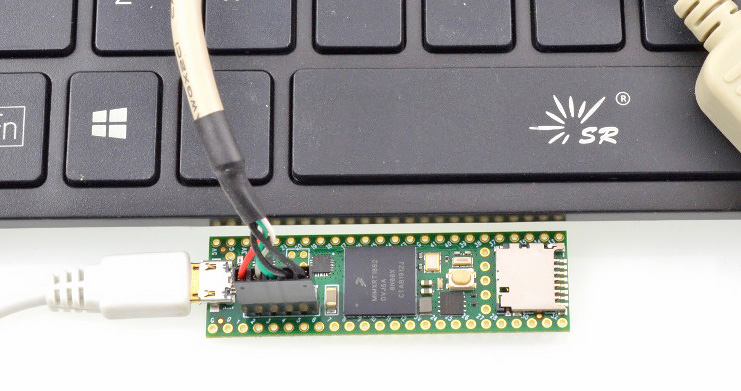
Unlike most microcontrollers, Teensy 4.1 includes both USB device and host ports—making it possible to directly control USB-to-serial adapters like the CP2102.
What’s Really Happening
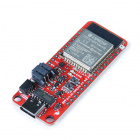
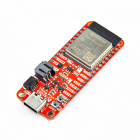
The ESP32 dev board doesn’t expose raw UART over USB. Instead, it uses a USB-to-serial bridge chip (like the CP2102).
That chip sits between two worlds:
- USB side (host ↔ CP2102): always runs at USB speeds
- UART side (CP2102 ↔ ESP32): runs at a configured baud rate
That baud rate must be set by the USB host.
When you use the Arduino Serial Monitor, selecting “460800 baud” isn’t just cosmetic—it sends a USB control message telling the CP2102:
“Talk to the ESP32 at 460800 baud.”
So when you unplug from your PC and plug into the Teensy, the Teensy becomes the host that has to configure that chip.
$31.50
Native USB Changes the Rules (And That’s Where Confusion Creeps In)
Back in the early days of PCs, serial ports were real hardware—9-pin or 25-pin connectors driven by UART chips. When software set a baud rate, it directly configured that hardware.
With USB-to-serial adapters like the CP2102, that idea still mostly holds—but with an extra layer.
When you select a baud rate in something like the Arduino Serial Monitor, your computer sends a USB control message to the adapter chip telling it:
“Use this baud rate on your UART pins.”
Even though the USB link itself runs at a fixed high speed (typically 12 Mbps or higher), the baud rate still matters—because it controls the UART side of the bridge.
So far, so good.
But then things get more interesting with boards that use native USB, like the Teensy.
On these boards, there is no CP2102. No hardware bridge at all.
Instead, your program itself implements the USB behavior in software.
And this leads to a subtle but important difference:
When you call Serial.begin(460800) on a Teensy, that baud rate doesn’t configure any hardware—and it doesn’t affect communication speed at all.
It’s simply stored in a variable.
If the PC sets a baud rate, that value is also just stored. Nothing about the actual USB data transfer changes—because USB always runs at its native speed (480 Mbps on Teensy 4.x).
That’s why:
- You can pick any baud rate in the Serial Monitor
- You can use any value in
Serial.begin() - And your data still comes through perfectly
The baud rate is effectively ignored for communication.
The Root Cause
From the original code:
USBSerial userial(myusb);

void setup() {
  Serial.begin(460800); // Debug output
  myusb.begin();
}
The mistake is subtle:
Serial.begin(460800)sets the Teensy’s USB device port (to your PC)- It does nothing for
userial(the USB host connection)
So the CP2102 defaults to 115200 baud, while the ESP32 is sending at 460800 baud.
That mismatch = corrupted data.
The Fix (One Line)
Add this:
userial.begin(460800);
That’s it.
Now both sides agree on the UART speed, and the garbage disappears.
Why This Confuses So Many People
This issue trips people up because there are three layers involved:
- USB transport (fast, fixed speed)
- USB-to-UART bridge (configurable)
- UART link (baud-dependent)
The important takeaway:
USB speed and UART baud rate are completely independent.
Even though data travels over USB at megabits per second, the bridge chip still needs to know how fast to talk to the microcontroller.
A Helpful Mental Model
Think of the CP2102 like a translator:
- USB side: speaks “fast digital packets”
- UART side: speaks “timed serial bits”
Setting the baud rate is like telling the translator how fast to speak on the UART side.
If you don’t tell it? It guesses (usually 115200). And that guess is often wrong.
Also worth sharing: Native USB vs USB-to-Serial
This distinction also explains something subtle:
- On boards with native USB (like Teensy), baud rate often doesn’t matter for
Serial - On boards using USB-to-serial chips (like many ESP32 dev boards), baud rate is critical
That’s why your Teensy debug output worked fine regardless of settings while the ESP32 link didn’t.
Final Result
After fixing the baud rate on the host side, the system behaved exactly as expected:
A: 302  D: 9365
A: 312  D: 2652
A: 312  D: 2844
...
Clean, structured data from the LiDAR without any corruption.
Key Takeaways
- USB serial ≠ raw USB data stream
- USB-to-UART bridges require host-side baud configuration
Serial.begin()anduserial.begin()control completely different interfaces- If you see “garbage data,” check baud mismatch first
Closing Thought
This is one of those bugs that feels like signal integrity or timing trouble—but turns out to be configuration.
Once you understand where the baud rate actually lives (hint: not just on the transmitting device), a whole class of “mystery corruption” problems becomes easy to diagnose.
This edition of Paul's Deep Dives is based off of this PJRC forum discussion